

About Terminology
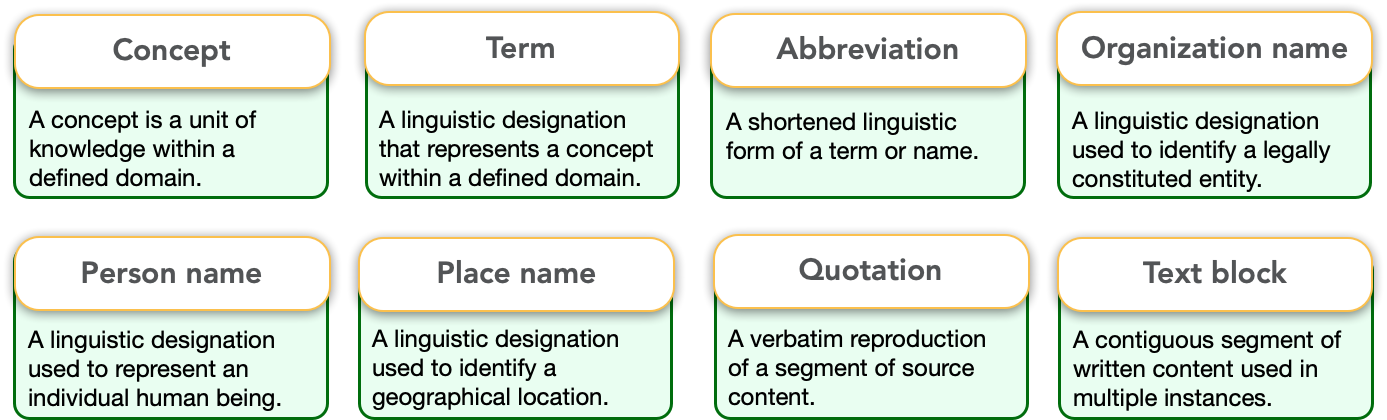
There are eight (8) different types terms (see definitions below):
- Abbreviations: for acronyms, initialisms, contractions
- Concepts: a unit of knowledge requiring a definition for creating a glossary
- Terms: of frequently used words; e.g.,
- Keywords can be added to library records
- Gapwords are research or literature 'gaps' found when reading articles and can be included in library records
- Organization names: for frequently used entities (e.g., government, competitors, brands)
- People names: for those names you refer to often (e.g., physicists, Nobel winners, influencers)
- Place names such as countries, rivers, mountains, sites visited
- Quotations: captured from research articles, or faves
- Text blocks: can be anything you need to use or reuse (e.g., a bio, n AI prompt)
Using terms in a document or section
- Add a term directly into the term database while you write
- See the Annotations menu
- Use the backslash key and start /typing and terms that match will be displayed for quick insertion
- Hover over an inserted term to see what it is, or edit it
Adding a smart list of terms into a document
- A smart list of terms (e.g., glossary) will produce a list of all terms found in your document across all sections
- A Collection within a specific term type can also be exported as a list
- See Style Guide / Terminology for editing the format of term smart lists
Tips
- Create different collections for easy maintenance, exporting, or sharing
- If a term has been added in multiple places and needs updating, you can do so by editing the form and it will automatically update all instances
- Names: change a character name in a book you are writing
- Places: Change the way you refer to a place
- Fix any typo across all sections
- Abbreviations can also be used for recording standards or competencies
- Abbreviation: CCSS
- Description: Common Core State Standards (CCSS) for Math & English Language Arts in the U.S., defining K-12 learning expectations
- Duplicate a term to quickly add a variation in spelling or context
See also
- Adding a collection of terms
- Exporting a collection of terms
- Annotations / Add terms
- Style Guide / Terminology smart lists